Campaign Analytics
Every campaign Glancito sends tracks delivery, engagement, and click activity per recipient. The Campaign Analytics panel gives you a real-time breakdown without leaving the Segments page.
What Is Tracked
| Event | When it is recorded |
|---|---|
| Sent | The send_email task dispatched the email to SES |
| Bounced | AWS SES reported a bounce (hard or soft) via SNS |
| Opened | The member's email client loaded the 1×1 tracking pixel |
| Clicked | The member clicked any link in the email |
| Unsubscribed | The member clicked the unsubscribe link |
| Complained | The member marked the email as spam |
Each event is stored as a CampaignEvent row with campaign_id, member_id, event_type, email, and timestamp.
Viewing Campaign Analytics
Open Segments → click a segment to see its campaigns and analytics panel:
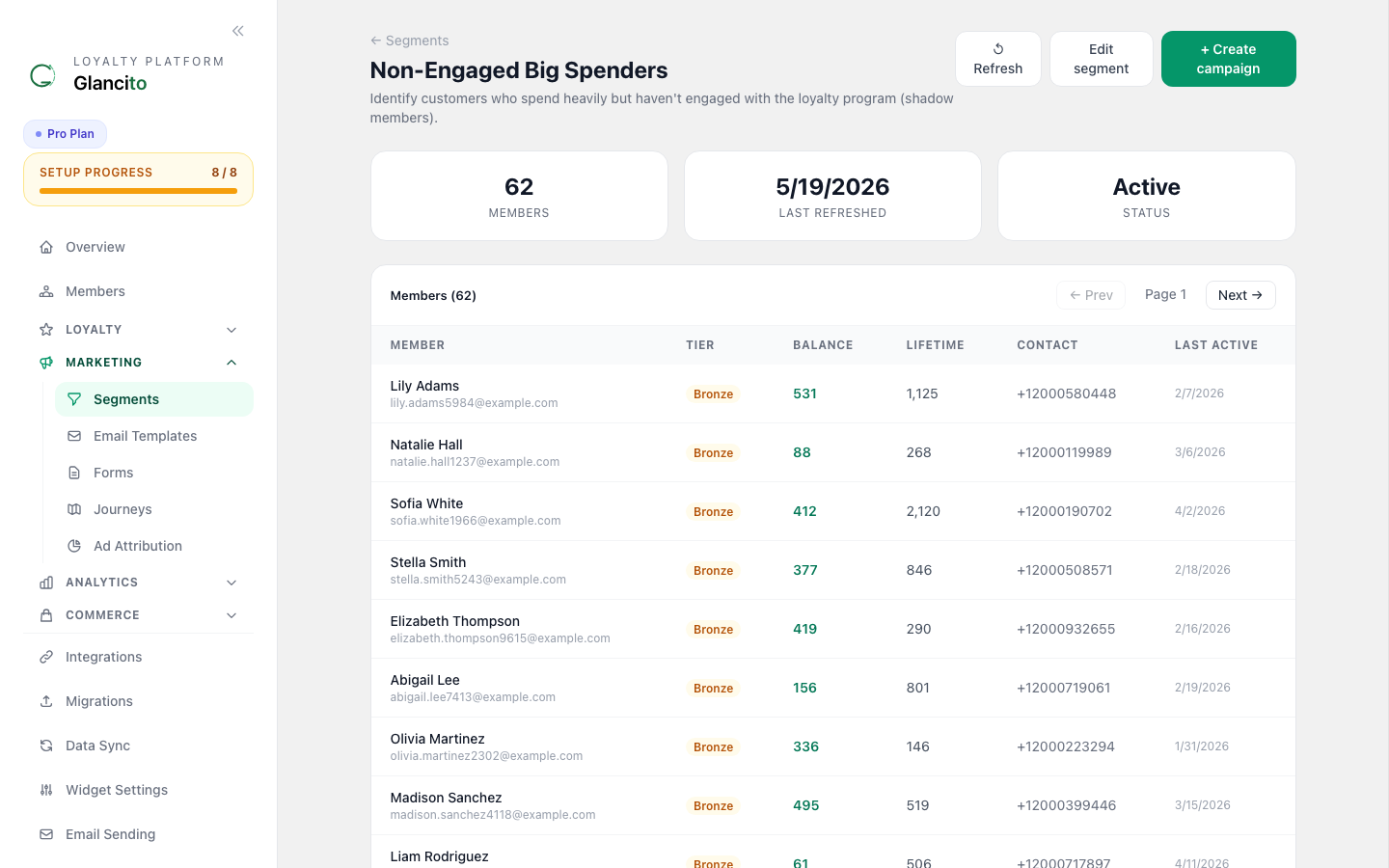
Each campaign row shows sent count, member count, and quick access to the analytics breakdown.
Metric Definitions
Delivery
Sent — total emails dispatched by the Celery worker. This is the denominator for all rate calculations.
Delivered — Sent − Bounced. Emails that reached the recipient's mail server.
Bounced — emails rejected by the recipient mail server. Includes:
- Hard bounces (invalid address, domain not found)
- Soft bounces (mailbox full, server temporarily unavailable)
Bounce rate above 5% is a warning sign — review the segment for stale addresses.
Engagement
Opens — tracked via a 1×1 invisible image pixel embedded in the email body. When the email client loads the image, an open event is recorded.
Note: Apple Mail Privacy Protection (iOS 15+) pre-fetches images, which can inflate open rates. Treat opens as a directional signal, not an exact count.
Clicks — tracked by rewriting all href links in the email to redirect through /api/v1/track/click. The redirect logs the click, then forwards the member to the original URL.
Click-to-Open Rate (CTOR) — Clicks ÷ Opens. A better measure of content quality than raw click rate. Aim for 10-20%.
Unsubscribes — members who clicked the unsubscribe link. They are immediately suppressed in Glancito and synced to Shopify.
Health
Complaints — members who marked the email as spam. AWS SES reports these via SNS. Keep below 0.1% to avoid SES sending suspension.
UTM Parameters
Every link in a campaign email is automatically decorated with UTM parameters so you can see campaign-driven traffic in Google Analytics:
Original link:   https://yourstore.com/collections/sale
Rewritten link:  https://yourstore.com/collections/sale
                   ?utm_source=glancito
                   &utm_medium=email
                   &utm_campaign={campaign_id}
                   &utm_content={member_id}
These parameters are added before the click-tracking redirect wraps the link, so both Glancito and GA capture the visit.
How Open Tracking Works
A 1×1 transparent GIF is inserted just before </body>:
<img
  src="https://app.glancito.com/api/v1/track/open?c={campaign_id}&m={member_id}"
  width="1" height="1"
  style="display:none"
  alt=""
/>
When the image is fetched:
- The request hits
GET /api/v1/track/open - A
CampaignEvent(event_type="opened")is inserted (deduplicated — only the first open is counted) - A 1×1 transparent GIF is returned
How Click Tracking Works
All href attributes are rewritten to route through Glancito before forwarding:
Member clicks link in email
  → GET /api/v1/track/click?c={campaign_id}&m={member_id}&d={destination_url}
      → Record CampaignEvent(event_type="clicked")
      → HTTP 302 redirect to destination_url
The redirect is transparent — the member ends up at the destination URL in under 100ms.
Excluded from rewriting:
mailto:links- Anchor links (
#section) - Template placeholders (
{{...}})
Benchmarks
| Metric | Low | Good | Excellent |
|---|---|---|---|
| Delivery rate | < 95% | 95–98% | > 98% |
| Open rate | < 20% | 25–35% | > 40% |
| Click rate | < 2% | 3–7% | > 8% |
| CTOR | < 8% | 10–20% | > 25% |
| Unsubscribe rate | > 1% | 0.2–0.5% | < 0.2% |
| Complaint rate | > 0.1% | < 0.05% | < 0.02% |
Data Storage
Campaign events are stored in the campaign_events table:
campaign_events
  id           UUID PK
  campaign_id  UUID → campaigns
  member_id    UUID → members
  tenant_id    UUID → tenants
  event_type   VARCHAR  ("sent", "bounced", "opened", "clicked", "unsubscribed", "complained")
  email        VARCHAR
  created_at   TIMESTAMP
Aggregates are computed on read by the /api/v1/campaigns/{id}/analytics endpoint — no pre-aggregation table required at current scale.
API
| Method | Path | Description |
|---|---|---|
GET | /api/v1/campaigns/{id}/analytics | Aggregate sent/bounced/opened/clicked/unsubscribed/complained counts |
Best Practices
Improve Open Rate
- Personalize the subject line with
{{first_name}} - Send to a specific segment rather than all members
- Test send times (Tuesday–Thursday, 10am–2pm local time performs well)
- Keep subject lines under 50 characters
Improve Click Rate
- One clear call-to-action per email
- Ensure the linked page matches the email promise
- Use the visual email designer for better mobile layouts
Reduce Unsubscribes
- Don't send more than 2 campaigns per month per segment
- Make sure the segment is relevant — a win-back campaign should only go to inactive members, not everyone
- Always include an obvious unsubscribe link (Glancito adds one automatically)